Better wording, right where you are writing.
Highlight a sentence, paste a paragraph or describe what you need. All AI rewrites it clearer, shorter, friendlier or more formal, and you choose what to keep.
Free: 1 AI request per dayNo browsing history kept
The problem
You know what you mean, but the sentence is too long, too stiff or too vague.
How All AI helps
Ask All AI to rewrite the text with a specific goal: shorter, plainer, warmer, more confident.
The outcome
Several better options in seconds, without leaving the page you are writing on.
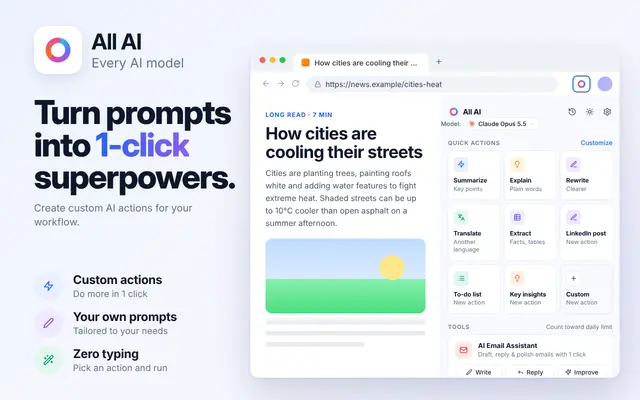
How to improve text with All AI
Works in the All AI side panel. Open it from the toolbar or with ⌘ + M.
Select or paste your text
Works with text on the page or anything you paste into the panel.
Pick a direction
Use Rewrite, or say exactly what you want: "Make this half as long and keep the numbers."
Copy the version you like
Ask for alternatives until one fits, then copy it back.
All AI suggests text; you decide what to use. Check facts, names and numbers in anything AI rewrites.
What people rewrite most
Work messages
Updates, requests and feedback that need to be clear and kind.
Posts and bios
Short copy for profiles, listings and social posts.
Plain-language versions
Turn technical or legal phrasing into something anyone can follow.
Response style
Set your preferred response style in All AI settings so answers match how you like to read.
Common questions
Does All AI type into websites for me?
All AI shows rewritten text in the side panel for you to copy. In Gmail it can insert a draft into the compose field, but it never fills forms, submits or sends anything.
Can All AI match my style?
Describe your style in the request, for example "short sentences, no exclamation marks, friendly but direct".
Is this a grammar checker?
All AI can fix grammar and spelling when you ask, but it is a general writing assistant rather than an always-on checker.
Keep exploring All AI
Try it on the next page you open.
Install All AI and use your free daily request to see how it fits your work.